Help · Guide 2 of 8
Add a unit
Bring a unit of competency in from training.gov.au and choose what you assess.
2 minutes
Watch it
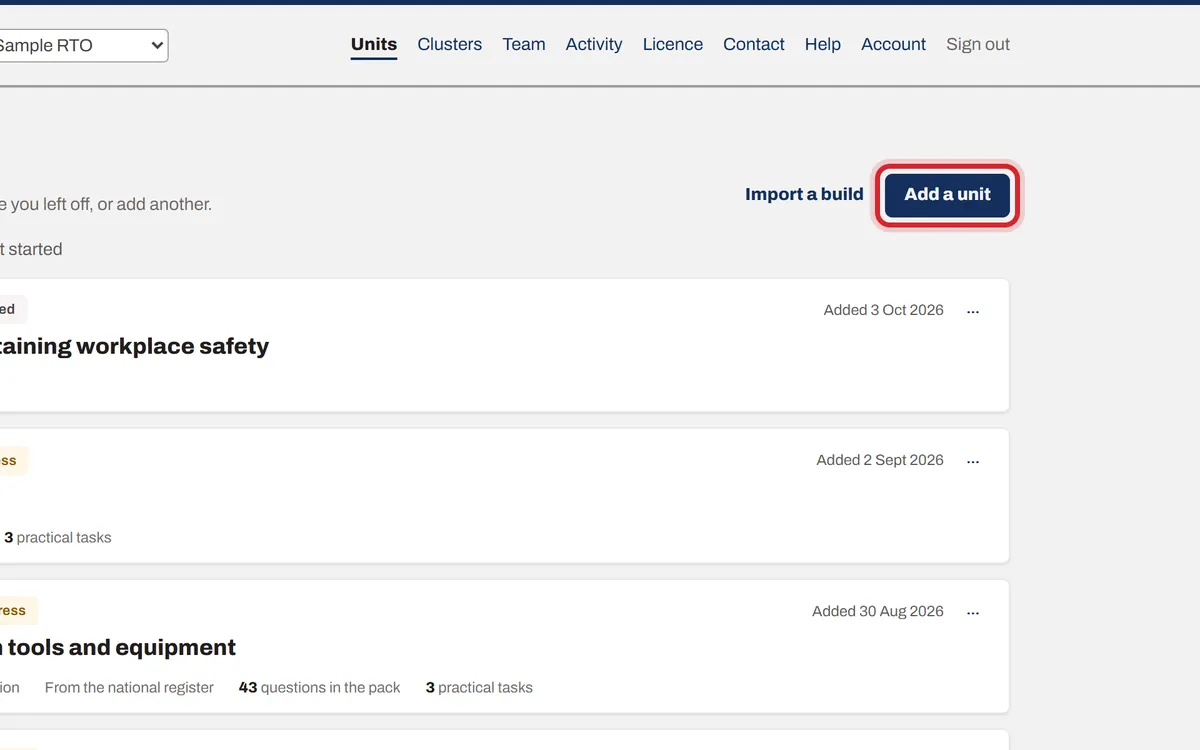
Step 1: Press Add a unit
On the Units page, press Add a unit.
Step 2: Type the unit code
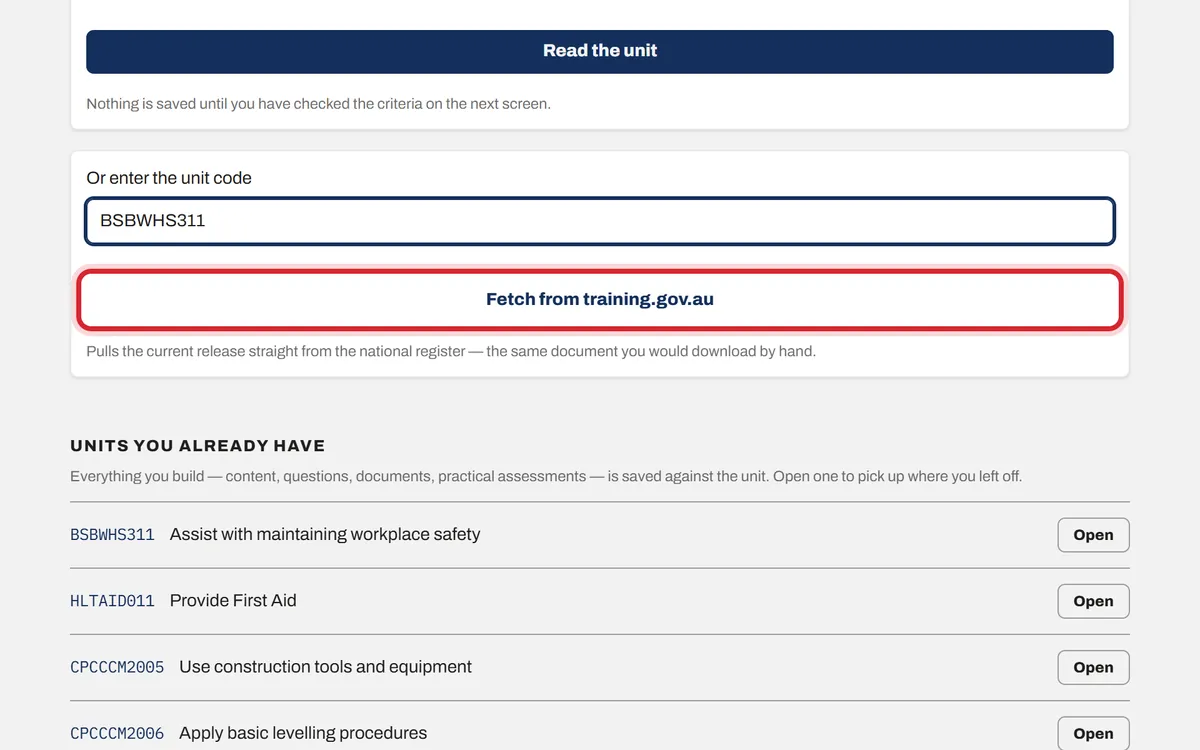
Type the code, for example BSBWHS311, and press Fetch from training.gov.au. You can upload the Word or PDF download from training.gov.au instead; that is the fuller source.
Step 3: Check the criteria
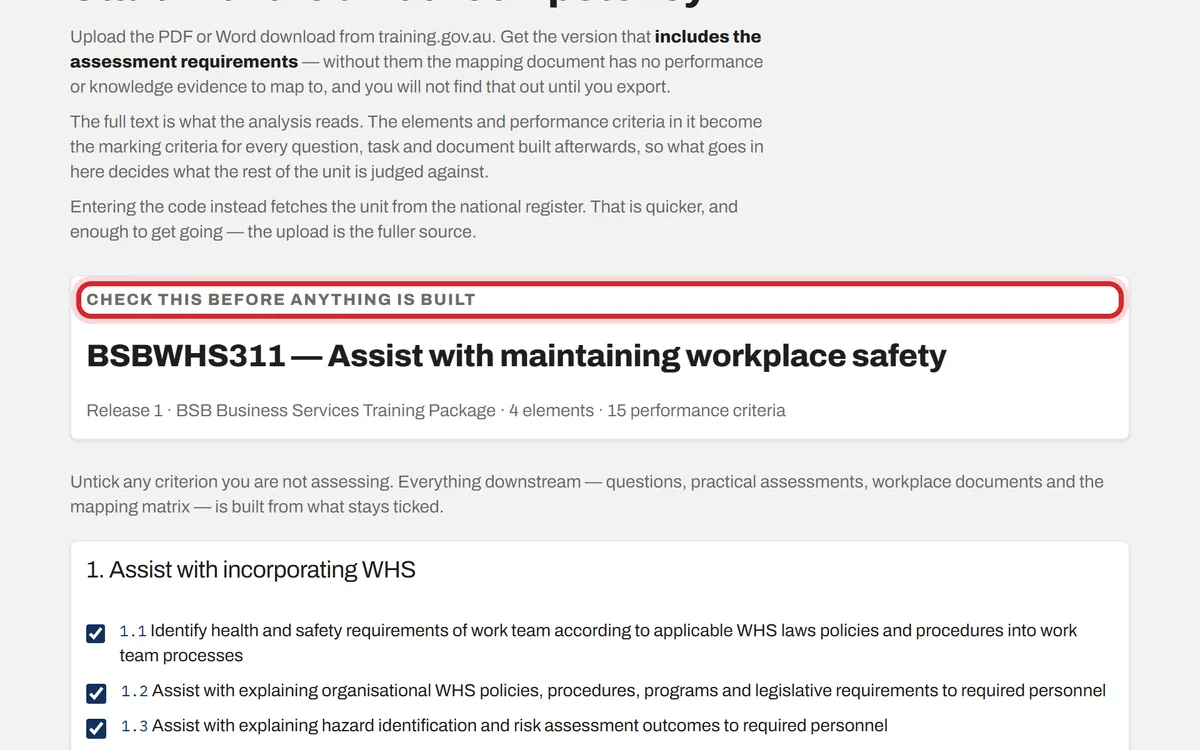
Every performance criterion is ticked. Untick any you are not assessing in this unit. Everything that follows is built from what stays ticked.
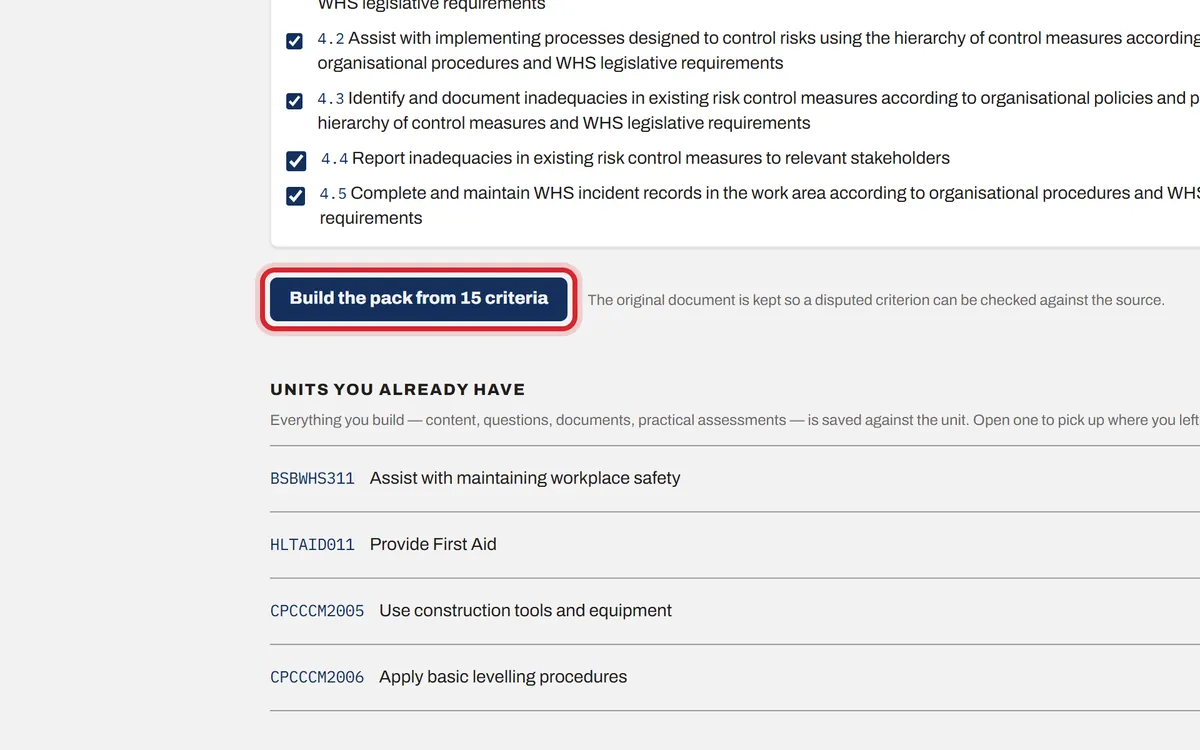
Step 4: Press Build the pack
Press Build the pack. The unit is saved and opens on its own page, ready for the next step: the analysis.